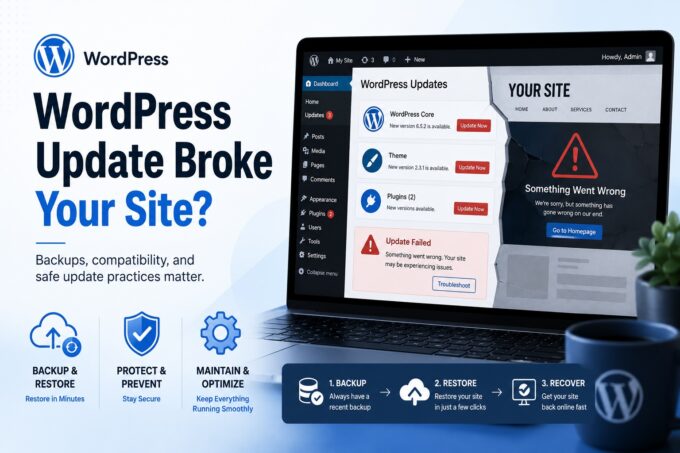
For many owners, a website starts as a simple project — launch it once, then focus on the business.
But WordPress doesn’t behave like a brochure.
It behaves like software.
And software changes constantly.
That’s why so many business owners eventually search for wordpress support for small business website issues after something suddenly stops working — forms stop sending, pages break, updates fail, or the site just becomes painfully slow.
This guide explains what actually matters, what doesn’t, and when you should stop troubleshooting and bring in help.
Why Small Business Websites Break “Out of Nowhere”
If your site worked yesterday and not today, you didn’t do anything wrong.
WordPress sites rely on multiple moving parts:
- WordPress core
- Theme
- Plugins
- Hosting server
- PHP version
- Security certificates
- Email configuration
Each of these updates independently. When one changes, the others may not agree anymore.
That’s why owners often end up thinking:
“I need someone to manage my wordpress website — I didn’t sign up to be IT support.”
And honestly — you didn’t.
What Actually Needs Fixing (Priority Issues)
These are problems that directly affect leads, revenue, or reputation.
1. Forms and Lead Capture Failures
Most dangerous issue because it’s invisible.
Customers submit forms → you never receive them.
Common causes:
- SMTP/email authentication changes
- Hosting spam filtering
- plugin updates
Business impact: lost customers without knowing.
2. Site Not Loading or Showing Errors
The classic:
“fix my business wordpress website not working”
Typical reasons:
- plugin conflicts after updates
- PHP version mismatch
- expired SSL certificate
- database errors
This is urgent — Google and customers both see it.
3. Security Warnings or Redirects
If your site redirects visitors or shows warnings, search engines may flag it as unsafe.
Signs:
- strange popups
- redirects to unrelated sites
- hosting suspension notice
This requires immediate professional cleanup.
4. Slow Performance
Slow sites quietly kill conversions.
3 seconds → abandonment rises dramatically
Search rankings drop
Ad costs increase
Performance problems rarely come from one cause — they accumulate over time.
What You Can Usually Ignore (For Now)
Not everything needs panic or emergency support.
Minor Layout Issues
A button slightly misaligned or font slightly off rarely costs revenue.
Outdated Plugins (Short Term)
Missing one week of updates won’t break a site.
Randomly updating everything at once often does.
SEO Score Warnings
SEO plugins love showing red alerts.
Most are suggestions, not actual problems.
The Hidden Cost of No Ongoing Support
Many businesses don’t realize they need a wordpress website maintenance service monthly until damage happens.
Without regular maintenance:
- backups fail silently
- updates stack into conflicts
- forms stop delivering
- hosting settings change
- security vulnerabilities accumulate
Nothing dramatic happens… until everything does.
Then recovery costs more than prevention ever would.
What Professional WordPress Support Actually Includes
Good support is not just “fixing when broken”.
It prevents problems from reaching you.
A proper support plan typically covers:
Monitoring
- uptime alerts
- performance tracking
- security scans
Safe Updates
- testing before applying
- rollback ability
- compatibility checks
Backups
- daily off-site backups
- restoration testing
Repairs
- conflict resolution
- error diagnostics
- hosting configuration fixes
Preventative Maintenance
- database cleanup
- performance optimization
- email delivery verification
That’s why many owners decide they need someone to manage my wordpress website rather than reacting to emergencies.
When You Should Call for Help Immediately
Don’t troubleshoot alone if:
- the website is down
- checkout or forms stopped working
- customers report security warnings
- admin login fails
- pages disappeared
- Google suddenly drops your pages
These are not learning moments — they are business continuity issues.
Search engines and customers assume reliability.
Downtime affects both trust and rankings.
When Ongoing Support Makes Sense
You should consider continuous support if your site:
- generates leads
- accepts payments
- ranks in search engines
- represents your brand credibility
- replaces a physical storefront
At that point your website is infrastructure, not a project.
And infrastructure needs maintenance.
A Practical Rule for Owners
Use this simple decision:
If the problem affects customers → fix immediately
If the problem affects appearance → schedule later
Most frustration comes from treating both the same.
Final Thoughts
WordPress is powerful because it’s flexible — but flexibility creates complexity.
Small businesses don’t fail online because they chose the wrong theme or plugin.
They struggle because responsibility slowly shifts from running a business to maintaining software.
Support exists to remove that responsibility.
You shouldn’t need to learn server logs, PHP versions, email routing, and plugin compatibility just to keep your website alive.
Your job is to run the business.
The website should support that — not compete with it.
FAQ
How often should a business website be maintained?
At least monthly — weekly for active sites.
Can I just update everything when something breaks?
That usually causes more issues. Updates should be tested first.
Is WordPress unreliable?
No — unmanaged software is unreliable. Managed software is stable.
Is support only for large companies?
No — small businesses benefit most because downtime hurts them faster.