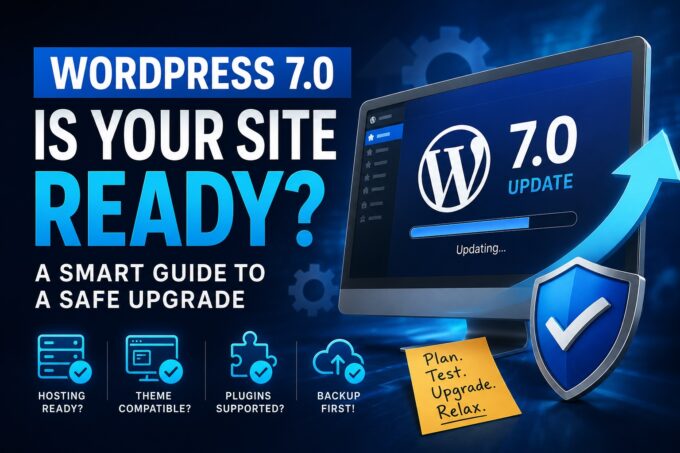
Running a WordPress website often feels like answering a never‑ending question: should I update now, or should I wait? Between core updates, theme updates, and plugin updates, it can be tempting to postpone maintenance—especially when everything seems to be working fine. However, delaying updates can quietly expose your website to security risks, performance issues, and compatibility problems that may surface at the worst possible moment.
In this post, we’ll explore why keeping your WordPress core, themes, and plugins up to date is essential, how backups play a critical role in safe updates, and why proactive maintenance—ideally handled by a professional—can save you time, money, and stress.
Why Updating WordPress Matters
WordPress powers over 40% of the web, which makes it a frequent target for hackers and automated attacks. Updates are not just about new features or cosmetic improvements—they are often released to fix vulnerabilities that have already been discovered and, in many cases, actively exploited.
Security First
Outdated WordPress installations are one of the most common entry points for malware infections and website breaches. Core updates, theme patches, and plugin updates regularly include security fixes that close known loopholes. When updates are ignored, attackers don’t need to break in—they simply walk through an open door.
Keeping everything updated significantly reduces your attack surface and helps protect sensitive data, user information, and your website’s reputation.
Performance and Stability Improvements
Updates frequently improve performance by optimizing code, reducing load times, and fixing bugs that may cause slowdowns or errors. A faster website not only provides a better user experience but can also positively impact search engine rankings.
Additionally, updates help ensure your website remains stable as web technologies evolve. New versions of PHP, browsers, and server environments are constantly released, and outdated WordPress components may not work properly with them.
Compatibility and Future‑Proofing
WordPress core, themes, and plugins are built to work together. When one element lags behind, compatibility issues can arise—broken layouts, malfunctioning features, or even complete site crashes. Regular updates help ensure all components remain aligned and compatible with each other.
The Critical Role of Backups
If updates are the seatbelt, backups are the airbag. No matter how careful you are, things can still go wrong—and backups are your safety net.
More Than Just Hack Protection
Backups are often associated with recovering hacked websites, but their value goes far beyond security incidents. Updates can sometimes introduce conflicts between plugins, break custom functionality, or cause unexpected errors. Without a reliable backup, rolling back these changes can be time‑consuming and costly.
A proper backup strategy includes:
- Database backups, which store your content, settings, and user data
- File backups, which include themes, plugins, media uploads, and configuration files
Together, these backups allow you to restore your website to a fully working state.
Backup Before You Update—Every Time
One of the most important best practices in WordPress maintenance is creating a fresh backup immediately before running updates. This ensures that if something goes wrong during the update process—whether it’s a timeout, conflict, or fatal error—you can quickly restore your site to its previous state.
This approach minimizes downtime, prevents data loss, and provides peace of mind when applying changes.
The Value of Proactive Maintenance
Rather than reacting to problems after they happen, proactive maintenance focuses on preventing issues before they impact your website or visitors.
Regular maintenance typically includes:
- Monitoring for available updates
- Reviewing update logs and changelogs
- Testing updates in a controlled environment
- Running security and performance checks
This proactive approach keeps your website healthy, secure, and running smoothly year‑round.
Why Trust a Professional?
While WordPress updates may seem straightforward, real‑world websites often include custom code, premium plugins, and integrations that require careful handling. A professional WordPress maintenance provider brings experience, tools, and processes that go far beyond clicking the “Update” button.
Professionals may:
- Test updates in a staging environment before applying them live
- Identify and resolve plugin or theme conflicts quickly
- Roll back updates instantly using reliable backups
- Monitor the site after updates to ensure everything functions correctly
Having an expert manage updates means faster troubleshooting, less downtime, and confidence that your website is in capable hands.
Final Thoughts
So, to update or not to update? The real question is how you update. Keeping WordPress core, themes, and plugins up to date is essential for security, performance, and compatibility—but updates should always be paired with proper backups and proactive maintenance.
By backing up your site before every update and trusting a professional to manage the process, you turn a risky task into a controlled, reliable routine. In the long run, regular maintenance isn’t an expense—it’s an investment in the stability, security, and success of your website.